EdTech Summer – Periscope

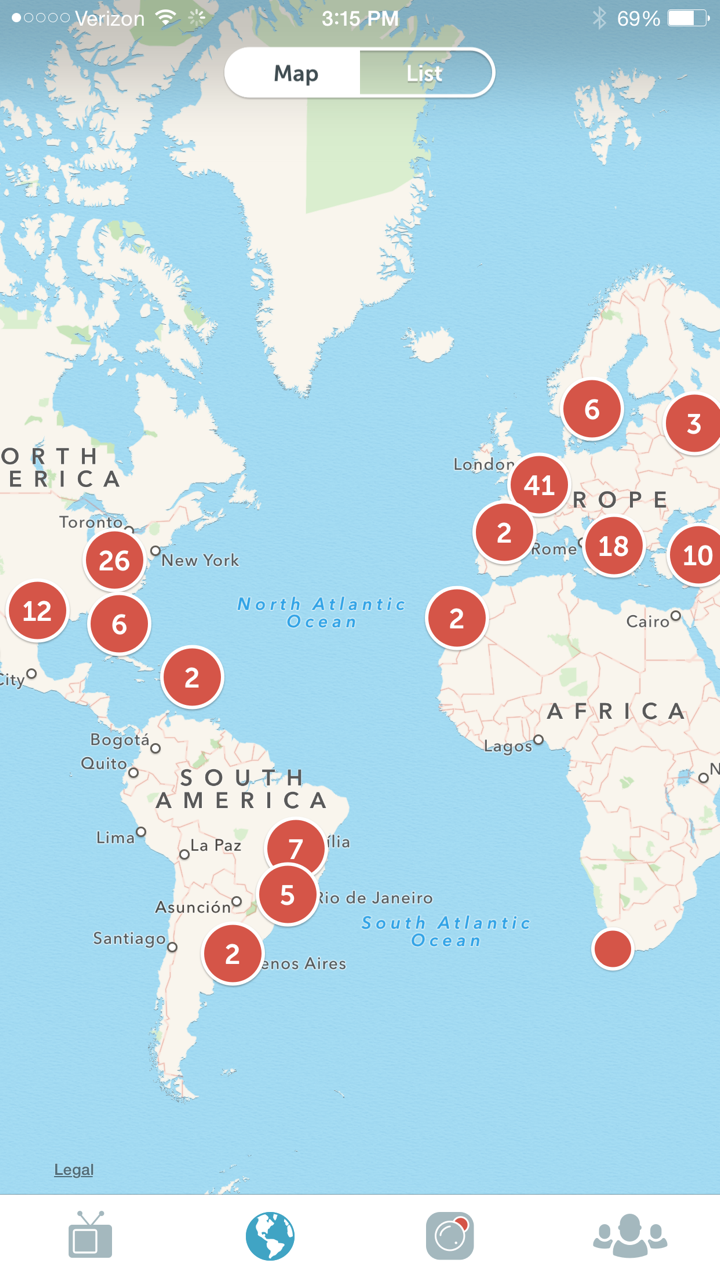
The latest phenomenon in social media is Periscope – a live video streaming service provided by Twitter.  I was instantly intrigued by the possibilities of use in the classroom, so I went straight to iTunes and downloaded the app.  Signing on via Twitter was quick and simple.  None of the people I follow on Twitter had live videos at the time I downloaded, so I checked out the map view to see where people were periscoping throughout the world.  Wow… they’re everywhere!

IMG_3082 IMG_3081 IMG_3080

I figured I’d check out India, and lo and behold, there was a live streaming of someone taking a tour through the Taj Mahal!  I couldn’t understand a word they were saying since they were broadcasting in a different language, but to actually go on a tour from my couch was amazing!  How cool would that be for my students!!!  Tony Vincent (@tonyvincent) has created an awesome infographic giving The Scoop on Periscope.  It is a comprehensive look at Periscope and how to use it in the classroom.  There is a community of educators on #periscopeEDU who are gathering ideas for classroom use.  I’ve read ideas about using it after Mystery Skype, broadcasting live from edcamps and conferences, and chatting internationally as 21st century pen pals.   I also love Mike Paul’s How to Use Periscope for Education for tips to keep students safe.  Follow Mike at @mikepaul.  One important point to note: videos are only available for 24 hours, but you can save your own broadcasts under the settings feature to your camera roll.

So, what are your ideas?  How do you plan to use Periscope in your classroom?
EdTech Summer – ThingLink

ThingLink is fantastic.  It is user-friendly for all grades and allows for quick formative assessment in individualized, differentiated ways.  Basically, ThingLink is a quick way to add notes, links, and relevant images/videos to an image or video that is uploaded by the teacher or student.  It layers information using tags.  Check out this video to see how easy it is to create a basic ThingLink.

With a free teacher account, I can add up to 100 students under one class.  For only $35 per year, I can upgrade to the teacher premium account and have 30 groups and up to 1,000 students!  Purchasing the premium account also enables video uploading and editing.  As an added bonus, ThingLink is offering free Professional Development for Teachers, as announced at ISTE 2015.  To enroll in the ThingLink Teacher Challenge, simply click the link and scroll to Join Us (or click here).  Complete the Google Form and they will send an invitation code and more information.

I plan to use this tool next school year as my students complete Genius Hour projects.  They can choose the topic and showcase their learning using ThingLink by layering tags of text, links, and other photos.  My fifth graders will be using ThingLink in math.  I will give them a word problem and have them solve it.  Then they will take a picture of their problem and solution and upload it into ThingLink.  They will record themselves explaining the thought-process in solving the problem and tag it on their ThingLink image.  They will, then, share the ThingLink with peers for peer review.

For my younger students, I want to work on text features, so I will upload an image of a magazine/newspaper article and have them label the text features with tags of text.  My first graders learn how to read a map in class.  I plan to use ThingLink to upload an image of a map and have students identify the various components of the map through text and image tags.  There are so many ways ThingLink can be used in the classroom.  What are some ways you have used, or will use, ThingLink?  Share a link to your project in the comments if you’ve used it before!

#EdCampLDR

Here is another enthusiastic blog post in which the words awesome and amazing are overused brought to you by another edcamp!  If you’re still on the fence about edcamp, I highly recommend that you just go for it!  Find an edcamp near you, and you can write your own enthusiastic blog posts rather than read mine :-)… well, go ahead and read mine, and then share yours with me so we can be excited together!

edcamp

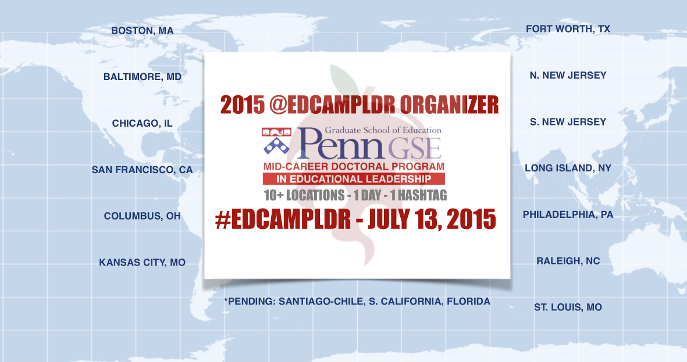
All across the nation edcampers are uniting in EdCamp Leadership in which leaders in education, administration, central office personnel, and teachers from PreK to university are gathering together as change agents.  You can follow along with all the awesome using the hashtag #edcampLDR – catch up with today’s edcamp and continue to watch and participate from afar on Twitter while the rest are held on Monday!  These are the people responsible for #edcampLDR in North Carolina.

edcamp6

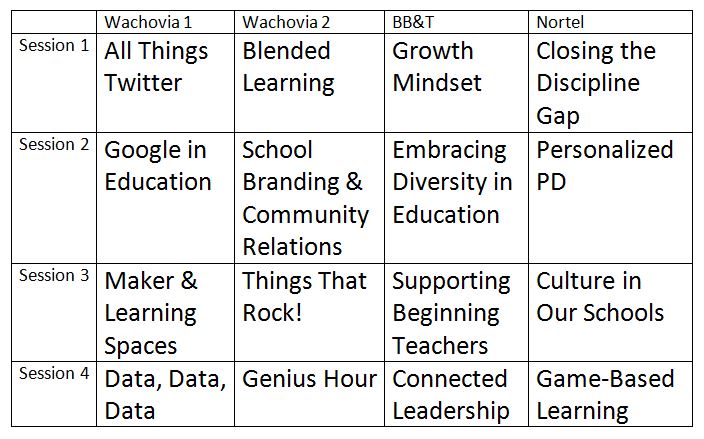
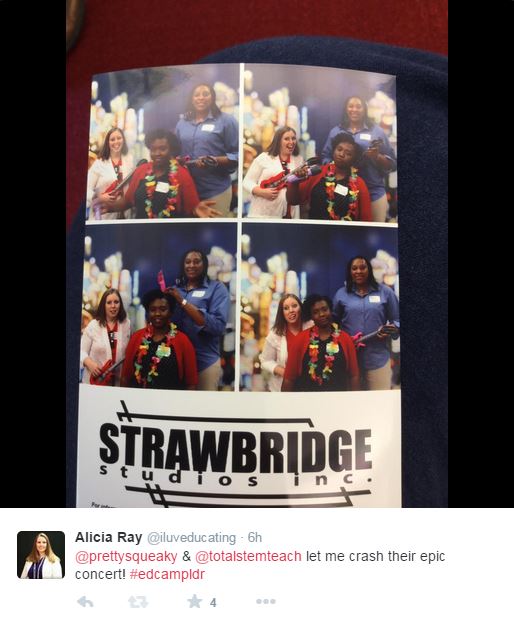
The Friday Institute in Raleigh, NC hosted #edcampLDR today, July 10.  As with edcamp custom, participants created the session board upon arrival by suggesting topics they want to discuss with other educators across our state.  I personally was hoping to see Game-Based Learning and Gamification, PBL, Twitter, and lots of discussion on how to be a better leader in my school.  I was not disappointed in any aspect. Our session board was created and we were off. edcamp2     You can check out the session notes here.  There were some great discussions, fabulous resources, and wonderful ideas shared among the participants.  One of the best parts of the day was the photo booth that was set up by Strawbridge Photography!

edcamp4 edcamp5

I didn’t need to see guitars or microphones to know we were hanging out with Rock Stars today!  One of my favorite Rock Stars to show up today was our very own State Superintendent, Dr. June Atkinson.  She is a true leader and a change agent.  I had the pleasure of meeting her once before and was thrilled to see her again.  For me, it validated edcamps and what we are doing there as she saw merit in our purpose, prioritized edcamp on her busy schedule, and even joined in on our first session asking questions and contributing to the All Things Twitter conversation.

edcamp3

The last part of the day was the Smackdown.  This was different than what I had experience because they did an “edu-smackdown” in which participants not only showed apps and websites that were great for education, but also shared an “a-ha” moment for the day.  The complete list can be found here, and I will be using several of the apps/sites as part of my on-going EdTech Summer.  Check back for more details about that.

For now, I am utterly exhausted from all the awesome today.  What was your biggest take-away from #edcampLDR?