Summer Maker Days

A few months ago I was awarded a mini-grant from my school system’s Educational Foundation.  This organization gives scholarships to students within our school system, provides funding for various projects, as well as funding mini-grants for teachers within the county who write a grant proposal showing need for materials.  The proposal I wrote this year was Making Connections with Makerspaces in which I asked for $750.00 in materials that would be used during four Maker Days with students and parents from my school.  I would then keep the materials for Maker Days in our media center and have the materials available for check-out by teachers in my school.  I purchased the following materials from Amazon.com.

IMG_2513 IMG_2512

Chromakey Green Screen Lighting Kit, Rory’s Story Cubes Complete Set, K’Nex Education (Elementary and Intermediate Math Sets), Lego Classic Medium Brick Box and Supplement Sets in Bright and Original, Snap Circuit and Snap Circuit, Jr, a Duct Tape Book and 16 rolls of duct tape, the littleBits Deluxe Kit, a Makey Makey, Magnetic Tile Building Set, and a Jewelry Making Kit.

I advertised the Maker Days through Facebook, the school’s website, and created a brochure to hand out at the Summer Parent Awareness session.  Yesterday was our first Summer Maker Day and I didn’t really know what to expect.  I created a challenge card for each station which listed the Basic Information about the station, materials needed and three challenges (easiest challenge listed first, followed by more difficult subsequent challenges).  At the bottom I included a suggested age range (with consideration for parent interaction), estimated amount of time needed to complete a challenge, as well as an overall difficulty level.  I created these levels based on where I knew my students were at the end of the year.

Doors opened at 2:00 and the first parent/student combo was there within 5 minutes.  It was a father and son who made a bee-line for the Lego station.  At the Lego station the challenges included reading a picture book and then using Lego to recreate the setting, their favorite part of the story, or creating an alternate ending to the story.  As you can see, the challenges increase in critical thinking, Bloom’s Taxonomy, and engineering abilities.  After spending about 15 minutes in the Lego station, the father/son duo headed to the K’Nex station and began building the Super Roller Coaster (not part of the grant, but a donation from my family friend).  By 2:30 pm, there were several families moving throughout the stations.

IMG_2553

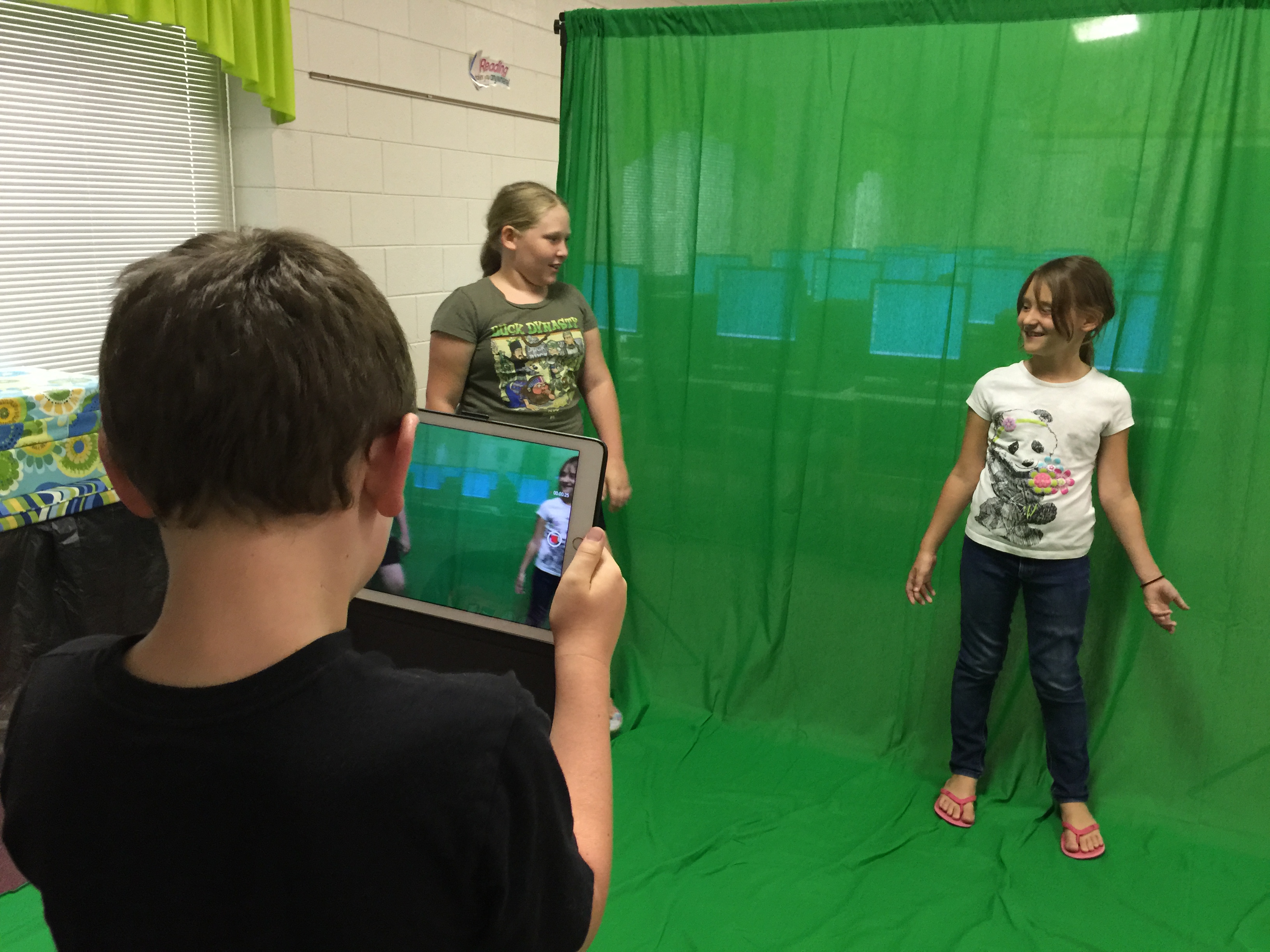
Over the course of two hours, 23 people participated in the first Summer Maker Day.  There were no major issues and things seemed to run smooth throughout the course of the afternoon.  The only thing I plan to alter for next time is the location of the Green Screen.  I am going to put it in the tutor room of the media center to cut back on noise interference in the videos and put the green screen flush against the wall as it is a pretty thin backdrop and anything behind the curtain was visible when shooting the videos.
IMG_2544

The green screen, littleBits, Makey Makey, and Snap Circuit kits were the big hits of the day I believe.  I have some true green screen pros who will be helping me teach other students in our school how to create quality green screen productions when school starts back.  Our next Maker Day is in July, and each of these families said they would definitely be returning for it.  I’m looking forward to watching these days grow in popularity as word spreads about the quality time spent between student and parent.  My principal suggested doing a Maker Day for teachers to encourage usage of materials in the classroom and curricular connections.  I think the staff at my school will love these new materials!
EdTech Summer – Kahoot!

In an effort to stay focused this summer while still allowing myself to relax a bit, I will be posting some of my favorite EdTech tools each week.  I’m aiming for one per day, but let’s be serious – it won’t happen.  The thing that’s most important about each of these tools is that it doesn’t matter what the tool is; what matters is how you USE it to meet your desired end.  Using a cool new tool for the sake of using it is pointless.  So with each of these tools, post a comment about how you have or you would use it in the classroom.  I love new ideas, so please share freely!

EdTech Tool #1: Kahoot!

Kahoot! is one of the first tools I heard about when I began my position as media coordinator.  Check this picture out; have you ever gotten this kind of battle-cry out of a child while giving a paper-pencil multiple-choice assessment?


kahoot2

This kid is engaged, this kid is excited, this kid is in charge of learning.  And in case you couldn’t tell, this kid was correct!  I love using Kahoot! as a quick formative assessment tool in the media center.  Kahoot! is a game-based classroom response system.  Teachers log in through getkahoot.com and students join the game through kahoot.it using a unique Game Pin.  I have media expectations as a quiz and will use it at the beginning of the school year to quickly review expectations and procedures.  The kids beg for Kahoot!  One of my favorite features is that the students get points for not only answering correctly, but also for answering quickly.  This has really cut back on the “cheating” that can happen through digital formative assessment.  Even if little Ricky cheats off little Josue and both get it correct, little Josue will get more points because he answered correctly first.  I let the kids know that upfront and it deters many from cheating because they don’t want to waste the time looking at someone else’s screen.

Another way I have used Kahoot! is during Battle of the Books practice.  It’s a quick way to learn and review authors and book titles.  Because the time limit is adjustable, I can start the year having 20 seconds of think-time and end the year with 5 seconds of think-time.

This year I will make a Kahoot! quiz to use at the beginning and end of each quarter as a pre- and post-assessment to show growth and make students more accountable for the information they learn in the media center.  Speaking of assessment, one of my favorite features of Kahoot! is the analysis that is immediately accessible at the end of a quiz.  It lists each participant on the left side, questions along the top, and shows each answer, time it took to answer, and final score.  It will show which questions were most-missed and is color-coded green and red for quick feedback.

A final thought: there are currently 2.6 million public Kahoot! quizzes to choose from if you don’t have time to make your own!  Simply find one that meets your needs, tweak it a bit if desired, and play!

I’m looking forward to using this tool even more throughout the years.  How would you use it?


Oregon Trail Revived!

dysentery

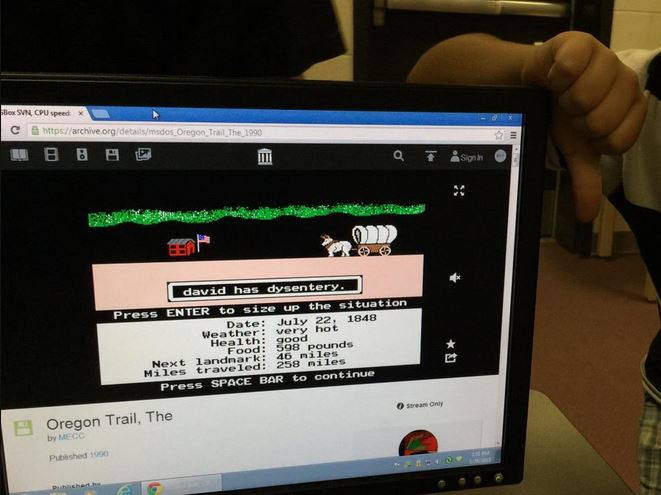
I feel as if I have done the world a huge favor today!  The next generation of students that come out of my school will know what The Oregon Trail is all about.  THE question was asked today… “What is dysentery?” I may or may not have given a fist pump in the air followed by the same explanation I received in elementary school. Okay, I did… and apparently dysentery sounds as disgusting now as it did over 20 years ago.

I was worried that the students would feel that the video game was outdated and boring.  I got a few laughs, especially after hearing the music and seeing the fonts.  However, once they started playing, they were hooked.  The room went from complete silence to uproar when someone died or got hurt back to complete silence.  It wasn’t until after the discussions in the room upon completion of the Trail that students realized that the banker, farmer, and carpenter each had different amounts of money given to them.  Typically the bankers made it to Oregon with the greatest success while the farmers didn’t make it at all.  We had just started an awesome discussion on what that meant for today’s economy and making good decisions in planning their future when they had to go back to their regular classes.  Nearly every student asked for the link so they could play at home.  I’m looking forward to hearing more about their adventures; hopefully they won’t include as much dysentery.