#DBC50Summer 30/50: Spark Learning

When I first started thinking of blogging my thoughts about all of the Dave Burgess Consulting, Inc books, I checked Dave’s website to see a comprehensive list of the books he and Shelley have published over the years. Many of the books I recognized from Twitter or Amazon, but there were several that I didn’t recognize as DBC books. Two years ago I vanished from Twitter only resurfacing during conferences, edcamps, or workshops. It was just a few months ago that I really reinvested in my #PLN and plugged back in to the power of Twitter. During this hiatus, DBC really began to pick up steam and released several incredible books. Among them was a book that was written as an extension of a TED talk from Ramsey Musallam, EdD. The thirtieth book released by DBC, Inc is Spark Learning!
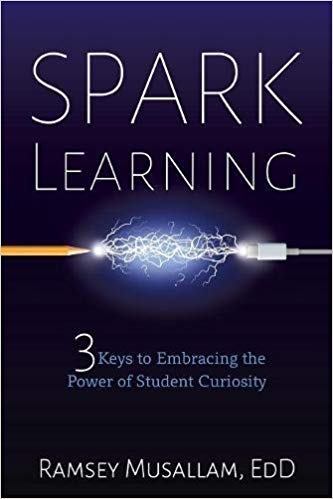
sparklearning

Before I even started reading, I tuned into the TED talk from Ramsey. You should stop and watch that real quick, okay? I’ll even save you the Google search, just click here.

So… what did you think? Pretty awesome, right? I can certainly appreciate his daughter’s curiosity as my own 5 year old asks “why” about everything! As a mom, I’ve got to be honest, it drives me crazy! I’ve even uttered because I said so. However, as an educator, my heart rejoices and I hope she never loses that intense desire for knowledge. So how do we help to encourage curiosity and inquiry in the classroom?

Ramsey shares the information from his TED talk and so much more in his book, Spark Learning. Much like his TED talk, he serves a powerful punch in a short period of time. It only took me about 90 minutes to read this book and I pulled several takeaways in that quick reading. In the book, Ramsey shares his 3 keys to embracing the power of student curiosity again.

Rule 1: Curiosity Comes First

In this section, Ramsey shares the research behind making curiosity the focal point of your lesson, and not the instruction. He shares three curiosity “sparks” that can pull your learners into your lesson. (Sounds a lot like the Captain‘s “hooks” to me!) These “sparks” are Missing Information, Anticipated Solution, and a Surprising Result. He shares specific examples of each of these “sparks” in various content areas. One of my favorite spaces in this book is where he intentionally gives you space to jot down ideas that have been…wait for it…”sparked” by what you’ve read! This was the perfect space to write my implementation plan for this book! Yep, I already had it figured out in the first rule!

I love that Ramsey is constantly looking for ways to use what he sees “in the real world” in his classroom! I, too, am always seeing the world through “teacher eyes” and drive my non-educator friends crazy when I mention how that would work perfectly in this or that class. In fact, when I was in Chicago this summer for BadgeSummit (check it out on Twitter here – it was great stuff), my coworkers and I went to the Field Museum. The entire time we were there, I was taking pictures of exhibits… why? Because it connected with our science curriculum and that is another resource my science teachers could show students!

Rule 2: Embrace the Mess

I appreciate Ramsey’s vulnerability in this chapter as he describes the same thoughts so many of us have when planning our lessons and the guilt that creeps up when we work those late hours to perfect a lesson only to leave knowing that it’s still not quite right. Many of his thoughts I have definitely had as well. I find it odd that my favorite quote from this book isn’t even a quote from the author. Don’t get me wrong, I enjoyed reading this book and took a lot from it. Ramsey is a wordsmith; he pulls together phrases in ways that make you stop and reread the sentence to be sure you read it correctly. But the quote that stuck with me is the same quote that stuck with Ramsey when he first heard it. In fact, he even states that he had to pull over on the side of the road to take notes upon hearing this!

It is through intense structure that I find the safety to be creative. ~Jon Stewart

Yes, y’all… Jon Stewart…the comedian from The Daily Show. Those profound words belong to him.

The correlation between The Hero’s Journey and the 5Es learning cycle blew my mind! I love the example shown and will definitely use this to create a lesson that encourages curiosity on the pages provided. In the space to jot down notes in this section, I wrote about the arduous task of waiting… I have always struggled with wait time. Whether that is the time between posing a question to the class and waiting to call on a student, or the time given to write a response, or the time between taking the standardized tests at the end of the year and getting the scores back. I’m not good at waiting. This section reminded me that waiting is integral to learning. I love how Ramsey relates the mentors in movies to a teacher in a classroom. The movies wouldn’t be as great if the mentor showed up in the first scene! Students need to struggle a bit before the mentor steps in to impart their wisdom to the “young grasshoppers”.

Rule 3: Practice Reflection

I love the reflection techniques that Ramsey shares here, both for students and teachers! It’s so vital that our reflections be consistent, honest, and mutual as Ramsey states in the book. Being consistent is the hardest part for me, but I’m planning to do better in this year through blogging.

I have to say that this is one of the first books that did not 100% align with my own educational philosophy. While you may have a “oh no she didn’t” look on your face right now, give me a minute to explain. I’m actually thrilled to finally have this moment! This is perfect for my own reflection and I’m beyond excited that I’ve been able to take the time this summer to begin to really nail down what my educational philosophy really even is! Think about it… it wasn’t that long ago that I stopped and determined my own #EDUpassions through bracketology. Now I’m at a place where I feel confident enough in my own opinions to question something in the book. That’s a HUGE place to be, y’all!

Ramsey shares a way of reflecting called Double Lesson Planning. Here he recommends creating two columns, one with this year’s plans and one with next year’s plans. Immediately after students leave, he copy-and-pastes this year’s plan into the next column highlighting changes he’d like to make for the next year. In my position, I haven’t reused any lessons in the past 5 years. In the media center, I have the opportunity to teach with more flexibility so my educational philosophy encourages me to find new ways to teach every year (without duplicating lessons). Also, I don’t have a specific objective to meet in each grade level, but have school goals that I try to reach. Last year we focused on digital citizenship and safety. This year my focus will be on research and inquiry. Therefore, this practice won’t work for me. When I was in the classroom, this practice would have suited me well, but now it doesn’t align with my teaching practices, which are a direct reflection of my own educational philosophy.

I love the 10 Bonus Strategies that Ramsey lists at the end of his book! You’ve got to check those out! I can see using and/or sharing a version of each one this year!

Implementing Spark Learning

This may have been the quickest that I ever decided on an implementation for one of the DBC books so far! Immediately upon reading the first section, I wanted to create a way to spark curiosity in my students and engage them in learning outside of the classroom setting. Last year I had a bulletin board in an old trophy display that read “Today’s News is Tomorrow’s History” and had QR codes to the current headlines of local, state, national, and international news. In class we discussed bias in the news and verified that each of the news outlets I presented were among the least biased outlets available. Because the QR codes were linked to the home page of each news outlet, I didn’t need to update it at all because the QR codes were linked to pages that updated daily. I love this board and although I don’t want to take it down, I realize that students may likely walk past it and not bother to check the news because this was “last year’s board”. I also want my students to see that I’ve put in the effort to think of something else they can interact with this year. Our school is working to create a culture of readers as a piece of fulfilling our vision of creating lifelong learners. Part of that culture is seeing that each of our teachers are readers as well. With this in mind (what Dave calls Creative Alchemy), I’m going to create a board that sparks curiosity through showing the favorite books of each staff member and asking students to predict via Google Form (linked from a QR code on the board) who they believe chose that book as their favorite. You’ve likely seen versions of this on Pinterest, but I hadn’t even considered using it until reading about the “sparks” in the first section of this book. I’m excited to have teachers share their favorite book and create this board this week! I will post pictures and share a blog post upon the revealing of the answers to students! I’m not a creative bulletin board kind of gal, so I’m excited that this book has sparked (yup, I went there) an idea of a bulletin board!

I greatly enjoyed reading Spark Learning by Ramsey Musallam, EdD! You can check out parts of Ramsey’s website for free and the rest requires a monthly membership (bummer). You can get more of Ramsey on the Internet TV Show called Infinite Thinking Machine produced by CUE! He is a co-host on the show! I’m excited to watch a few of these myself. As always, the flipgrid is a space to share your own reflections and ideas from each of the DBC books! Andrea Paulakovich thought this piece of awesome up when #DBC50Summer first started in June. Please feel free to share in this space for global collaboration (& go follow Andrea – she’s incredible).

Well, folks… that’s it for our third set of 10 books! It’s time to continue with the Summer Recaps by sharing the last 10 books read, so look for Summer Recap 3 coming up next!

Creating Community – A Schoolwide Project

All 270(ish) students in my elementary school collaborating on one big project over the course of a month, each part of the project relying heavily on another group doing their part.  That was my goal.  My principal had mentioned a collaborative project, and it had grabbed my interest.  I had no idea what to do from there.

One morning a few weeks later, while in the shower (where all amazing ideas are born), I had a fleeting thought about my oldest daughter’s upcoming field trip to a fire station.  This sparked a little genius hour project of my own to see the scope and sequence of the study of community helpers through elementary school.  It turns out that every grade level has some mention of community helpers/citizens woven into the North Carolina Essential Standards for Social Studies (K-2, 3-5).

So I wrote a DonorsChoose project for a Community Helper Lego Construction set and an Ozobot.  The majority of the project was funded by our friends at Paradise Games, a local gaming store in our community.  (A HUGE thank you to these guys!)  The idea?  To use Lego bricks to build a community and have an Ozobot programmed to move through it using codes created by markers.

Here was the plan:

PreK, Cross-categorical class, and Kindergarten: Research various community helpers using PebbleGo  and create a list of community helpers they would like to see in our own community

1st grade: Use the list created by PreK, CC, and Kinder to determine where those community helpers worked.  For example: Kindergarten said we need a doctor.  1st grade decided that doctors work in a hospital and a doctor’s office.  They also mentioned dentists, so we included those as well.  These buildings were compiled into a list for 2nd grade.

2nd grade: Create a blueprint for the community.  Use the Lego blocks to begin building the workplaces of the community helpers.  *This was where I saw real engineering and the STEM element of the project begin to emerge.  My students did not understand the proper way to build with the Lego blocks; they didn’t get the purpose of the overlapping of bricks to create an interlocking wall.  The walls would crumble when moved. Lots of devastated kids and a few tears, but they figured it out and created some excellent building foundations.

3rd grade: Put the finishing touches on the Lego buildings and review the blueprints for the community with a suggestion prepare for 4th grade.  This group also laid the foundation of the community (white bulletin board paper) onto two large rectangle tables in the media center.

4th grade: Place buildings throughout the community.  Heated conversation ensued about the location of the church (which was insisted upon by my 2nd grade students), the proximity of the school to the police station/jailhouse, and the ability to move from the doctor’s office to the hospital quickly.  These students also created the “sidewalks” to signify road spacing on which the Ozobot would travel.

5th grade: Using the open road spaces for the Ozobot, the 5th graders designed a color-coded roadway that allowed the Ozobot to visit all of the buildings in our community.  It started in the entrance to the community and went to every single building performing various tricks, tasks, and moving at different speeds along the way.

IMG_8424.JPG

The project took only one class period (45 minutes) for each class in the school.  There are 14 classes.  With snow delays and my media schedule switching each week, this schoolwide STEM project took nearly 6 weeks to complete.  Overall, all students in the school worked toward a common goal, collaborating each step of the way.  The younger students took delight in seeing their community helpers and the buildings come to fruition on the tables in the media center.  The workspace was out front and center where everyone could see it as they entered the learning space.  During the creation of the community, the workspace was organized chaos.  Students left it, as is, when their class time was over.  Our faculty still held meetings here, students still circulated books, and we still held media classes and small group instruction.

It is my hope that this project continues to push forward a change in school culture.  For me, this project was never about the materials (which were an awesome addition to our makerspace collection).  It was the idea of my entire school working together to make something really cool.  I almost cringe to call it a STEM project because STEM seems to be becoming another “buzzword”, a label to put on something to make it sound educational.  Truly, this project was an adventure.  This project allowed my students, in all grade levels, to see a long-term goal met with research, collaboration, creativity, and critical thinking.  It was a mess throughout much of the process, none of us knew what we were doing, and we pushed through and made a masterpiece.  Our students’ future is not about coloring in bubbles on an answer sheet, sitting in desks taking notes, and listening quietly to an adult talk all day.  Their future is about engagement, empowerment, and enthusiasm.  Through this schoolwide project, these students were all engaged, they were empowered by creating a community of their own, and they were more enthusiastic than ever before.

*Video on YouTube.

Using MinecraftEdu to Create NC Map

Fourth grade students in North Carolina study North Carolina’s geography and history.  One of my favorite parts of my job as media coordinator is collaboration with classroom teachers to bring lessons to life.  Fourth graders in my school have been learning about the three regions of North Carolina, the coastal plain, the Piedmont, and the mountain region.  Students spent several days in class researching industry, geography, and major landmarks in each region.  In the past, students have created a map on cardboard paper using various materials.  They have even created Live Museums where each pair of students showcased their learning by sharing with other grade levels waiting in the lunch line.  Fourth grade teachers at my school wanted to take it to a new level this year and allow students to create a map of the regions of North Carolina using MinecraftEdu.

I have been running a MinecraftEdu club every Friday afternoon to test out ways to use MinecraftEdu in the classroom.  My MinecraftEdu club has been exploring various lessons in the MinecraftEdu World Library and I have really seen the value in using MinecraftEdu to teach various concepts in the classroom.  When fourth grade teachers approached me about the possibility of using MinecraftEdu in this lesson, I was ecstatic.

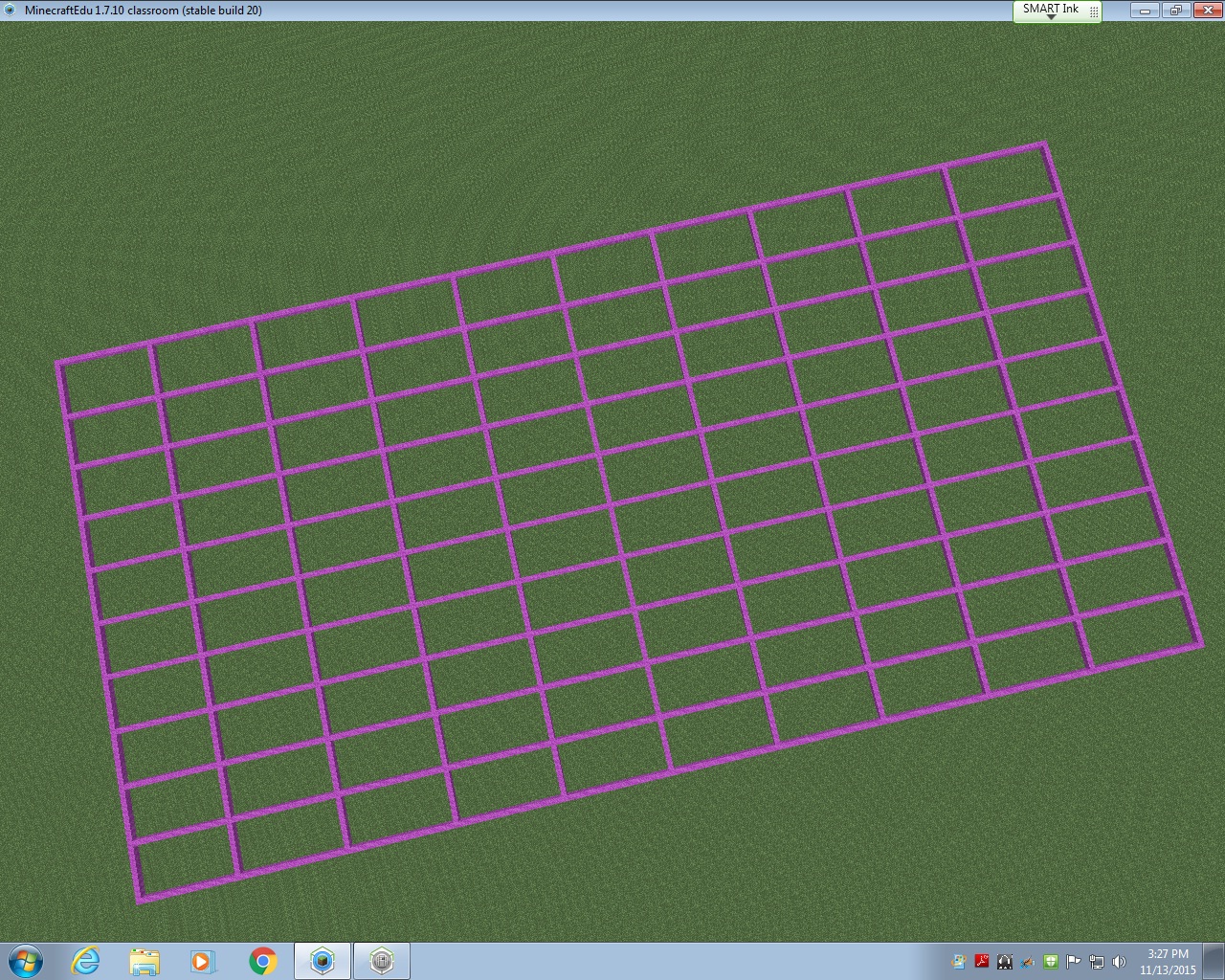
The first thing I did to prepare for this lesson was look for a map with the North Carolina border already created in MinecraftEdu.  I could not find a single one.  So, I used the Flat World (Original Style) Map from the World Library as a starting point.  Using a North Carolina map with latitude and longitude lines, I began to block off my image to transfer into MinecraftEdu.  Basically, each latitude and longitude line would be separated by 20 MinecraftEdu blocks.  This allowed me to keep the integrity of North Carolina’s shape while keeping the area of the state manageable for my students to cover in the limited amount of time they would have in MinecraftEdu.

gridlines

Once the latitude and longitude lines were in, I started outlining the state using the paper copy of the map I had blocked off.  I started on the east coast because I knew it would be difficult to do.  I would place a few blocks, then fly to see if it looked right.  Then I would place a few more blocks, and fly to see how they looked.  It was basically trial and error.  I abandoned the idea of creating the islands of the Outer Banks due to constraints in the area I had given myself.  After a few hours of work, I am pretty proud of the final product that will be uploaded into the World Library soon.

ncmap outline

From this point on, it was up to the students!  The teachers and I decided to start with the coastal region and build from east to west.  Each region was given 45 minutes to work collaboratively to create symbols of what they had learned about their region.  Students had various levels of experience in MinecraftEdu; some are in my MinecraftEdu club and some have never played before this project.  Because the coastal region was first, we ran into some quick problems with the ocean (specifically the flooding of what would be South Carolina and Virginia) and had to start completely over at one point.  Another problem we faced: I began by allowing students to remove lines of latitude and longitude if needed and upon seeing the black border of the state disappear, we started over and I told students they could not remove any pink or black blocks and they must contain the ocean in the blocks provided.  After about an hour of working (including having to restart), the seven students assigned the coastal region were finished.  They included a shark, a pirate ship, beach houses, seafood restaurants, sand for beaches, tourists tanning on the beach, and palm trees.  The ocean even had a strong current in it to represent the movement of the waves!

IMG_6635

You can see they were very particular about keeping the Piedmont region out of their coastal plain, so they went as far as to create a visible division between the two regions.  The Piedmont was next and within their 45 minutes, they created Bank of America stadium (Go Panthers!), McDonald’s, and skyscrapers.  They also created a forest of “apple” trees using oak seeds, but the oak trees overtook the skyscraper, so we had to cut down an entire forest.  This led to an spontaneous discussion about deforestation and a debate about cutting down trees vs industry, which was an excellent unexpected learning opportunity!  The seven students who studied the Piedmont also took it upon themselves to make a border so the mountain region would not build in their area.  The students were very territorial about their regions!

IMG_6636

The last region to build was the mountain region.  They discussed where the foothills would be and decided as a group (with my permission) to move the border created by the Piedmont so they could have ample room to build the mountains and have a section for the foothills.  They were adamant about having the foothills represented as that’s where our school is located.  After 45 minutes, the mountain region had created a good-sized mountain range and the Mount Airy Granite Rock Quarry.

IMG_6642

Once all students in the class had the opportunity to add something to the map, the MinecraftEdu club members put on the finishing touches.  They dubbed themselves “experts” and made everything come together nicely!  They also added a lighthouse to the North Carolina coast, the Krispy Kreme headquarters (with a donut on the top, HA), a race track to represent North Carolina’s role in the creation of professional racing, and the Biltmore House in the mountains.  The final touch was a beacon to show where our school is located in the foothills.

minecraft (1)

As I watched the students work, I was amazed at the level of knowledge they had about North Carolina’s geography, industry, and landmarks!  These students came with an idea about what they could add to the map to represent North Carolina and they worked together so well to create what I consider to be a masterpiece.  I posted several times on Twitter with updates on this project, which were shared and liked many times (thank you for that).  Each day I would remind the students that their work was being shared globally and many people were waiting to see the finished product.  The students gave everything they had to this project and far surpassed any expectations I had for this project.  Their learning is evident in ways that a standardized test could never showcase.  I am a firm believe in the power of MinecraftEdu in school and I can’t wait to work with my fifth grade teachers to create biomes in MinecraftEdu in the coming weeks!

*A link to a walk-through of the completed NC Region Map will be added soon.