Creating Community – A Schoolwide Project

All 270(ish) students in my elementary school collaborating on one big project over the course of a month, each part of the project relying heavily on another group doing their part.  That was my goal.  My principal had mentioned a collaborative project, and it had grabbed my interest.  I had no idea what to do from there.

One morning a few weeks later, while in the shower (where all amazing ideas are born), I had a fleeting thought about my oldest daughter’s upcoming field trip to a fire station.  This sparked a little genius hour project of my own to see the scope and sequence of the study of community helpers through elementary school.  It turns out that every grade level has some mention of community helpers/citizens woven into the North Carolina Essential Standards for Social Studies (K-2, 3-5).

So I wrote a DonorsChoose project for a Community Helper Lego Construction set and an Ozobot.  The majority of the project was funded by our friends at Paradise Games, a local gaming store in our community.  (A HUGE thank you to these guys!)  The idea?  To use Lego bricks to build a community and have an Ozobot programmed to move through it using codes created by markers.

Here was the plan:

PreK, Cross-categorical class, and Kindergarten: Research various community helpers using PebbleGo  and create a list of community helpers they would like to see in our own community

1st grade: Use the list created by PreK, CC, and Kinder to determine where those community helpers worked.  For example: Kindergarten said we need a doctor.  1st grade decided that doctors work in a hospital and a doctor’s office.  They also mentioned dentists, so we included those as well.  These buildings were compiled into a list for 2nd grade.

2nd grade: Create a blueprint for the community.  Use the Lego blocks to begin building the workplaces of the community helpers.  *This was where I saw real engineering and the STEM element of the project begin to emerge.  My students did not understand the proper way to build with the Lego blocks; they didn’t get the purpose of the overlapping of bricks to create an interlocking wall.  The walls would crumble when moved. Lots of devastated kids and a few tears, but they figured it out and created some excellent building foundations.

3rd grade: Put the finishing touches on the Lego buildings and review the blueprints for the community with a suggestion prepare for 4th grade.  This group also laid the foundation of the community (white bulletin board paper) onto two large rectangle tables in the media center.

4th grade: Place buildings throughout the community.  Heated conversation ensued about the location of the church (which was insisted upon by my 2nd grade students), the proximity of the school to the police station/jailhouse, and the ability to move from the doctor’s office to the hospital quickly.  These students also created the “sidewalks” to signify road spacing on which the Ozobot would travel.

5th grade: Using the open road spaces for the Ozobot, the 5th graders designed a color-coded roadway that allowed the Ozobot to visit all of the buildings in our community.  It started in the entrance to the community and went to every single building performing various tricks, tasks, and moving at different speeds along the way.

IMG_8424.JPG

The project took only one class period (45 minutes) for each class in the school.  There are 14 classes.  With snow delays and my media schedule switching each week, this schoolwide STEM project took nearly 6 weeks to complete.  Overall, all students in the school worked toward a common goal, collaborating each step of the way.  The younger students took delight in seeing their community helpers and the buildings come to fruition on the tables in the media center.  The workspace was out front and center where everyone could see it as they entered the learning space.  During the creation of the community, the workspace was organized chaos.  Students left it, as is, when their class time was over.  Our faculty still held meetings here, students still circulated books, and we still held media classes and small group instruction.

It is my hope that this project continues to push forward a change in school culture.  For me, this project was never about the materials (which were an awesome addition to our makerspace collection).  It was the idea of my entire school working together to make something really cool.  I almost cringe to call it a STEM project because STEM seems to be becoming another “buzzword”, a label to put on something to make it sound educational.  Truly, this project was an adventure.  This project allowed my students, in all grade levels, to see a long-term goal met with research, collaboration, creativity, and critical thinking.  It was a mess throughout much of the process, none of us knew what we were doing, and we pushed through and made a masterpiece.  Our students’ future is not about coloring in bubbles on an answer sheet, sitting in desks taking notes, and listening quietly to an adult talk all day.  Their future is about engagement, empowerment, and enthusiasm.  Through this schoolwide project, these students were all engaged, they were empowered by creating a community of their own, and they were more enthusiastic than ever before.

*Video on YouTube.

#EdCampQC 2.0

I honestly didn’t think they could do it… truly, I didn’t!  There was no way that the #edcampqc group that organized the first EdCamp Queen City at Hawk Ridge Elementary School could possibly outdo themselves.  The sequel is NEVER as good as the first, right?

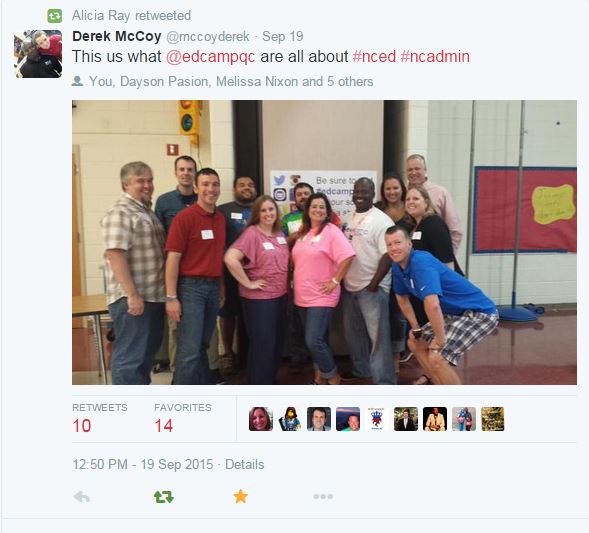
edcampplanners

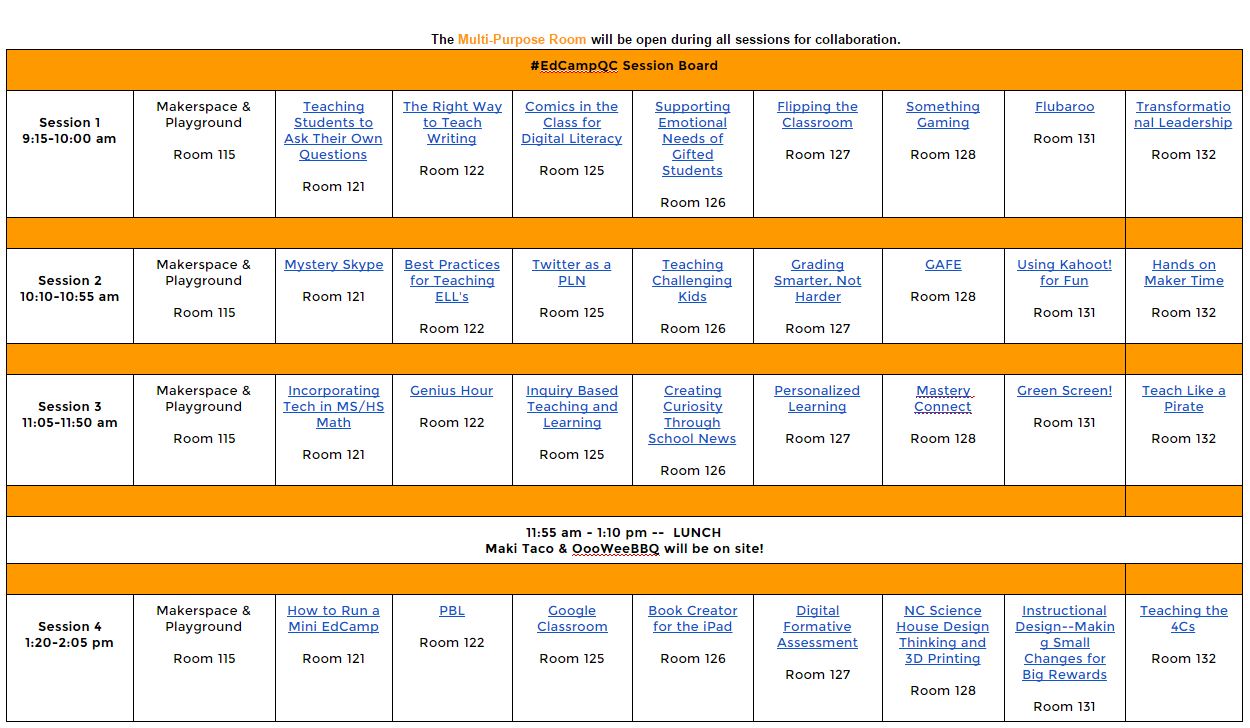
Wrong!  I’m a firm believer in giving credit where it’s due and the organizers for #edcampqc are amazing!  This team has got it together; everything seemed to run very smoothly and whoa – look at this session board (with collaborative notes) the participants created!

 sessions

I attended Something Gaming first where I learned more about ClassCraft and shared my 3dGameLab course I have created for my Battle of the Books students.  Stepping out of my comfort zone I am considering having students create their own games to show mastery of content.  We talked about the resource GameStar Mechanic which looks very exciting!  I hope to be able to incorporate this into the media center or with my Battle of the Books team this year.

Following Something Gaming, I hit up the Twitter as a PLN session.  It was the very first Twitter session I had ever attended where EVERY SINGLE PERSON was a Connected Educator on Twitter!!!  It was awesome; there was so much energy in the room!  This allowed us to take the conversation to a new level by discussing an educational revolution and how to pull more people onboard the Twitter train.  One idea was to show reluctant peers the difference between twitter for personal use and twitter that is used professionally.  Derek McCoy (follow him on Twitter: @mccoyderek) shows the difference using current feeds of two people, like Charlie Sheen vs Steven Weber (follow him on Twitter: @curriculumblog)

The third session had so much goodness packed into 45 minutes that I couldn’t possibly attend all of them, even with the rule of two feet!  This is honestly the very first edcamp that I have relied on the collaborative docs to fill me in on the conversations.  With topics like Genius Hour, Inquiry-Based Learning, Personalized Learning, Green Screen, Teach Like A Pirate, and a discussion on School News, I was torn.  I ended up in Green Screen and walked away with new ideas for this week.  Thanks to Megan Mehta (follow her on Twitter: @megan_mehta) we stopped by Starbucks before leaving Charlotte to grab green Starbucks straws and coffee stirrers to use in puppet shows with green screen! GENIUS!!!

edcampqc2

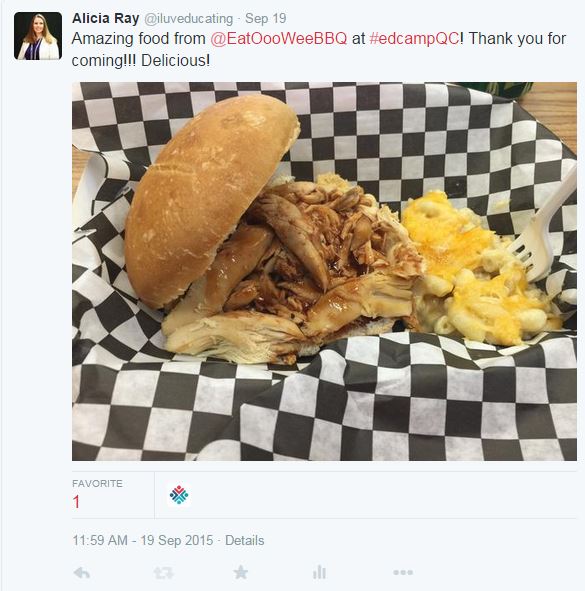
Lunch was superb.  Ooo-Wee BBQ was soooo delicious & I just had to purchase ice cream from a legit ice cream truck!  Being from a small town in the country, I didn’t have ice cream trucks while growing up.

edcampqc3

Finally, my last session was Digital Formative Assessment.  I signed up to facilitate this session.  Many of the teachers in this session learned about Kahoot! in an earlier session, so we did a mini-smackdown of Digital Formative Assessment tools including GoFormative, Kubbu, Plickers, and ThingLink.  We also touched on GooseChase, a terrific scavenger hunt app!

As if the day couldn’t get any better – I won an autographed copy of Teach Like A Pirate by Dave Burgess!  Thank you, Dave (follow him on Twitter: @burgessdave)

edcampqc9

It was an excellent day and I am already looking forward to my next edcamp experience!  These things are the best educational rejuvenation!  I get to see my fabulous Professional Learning Network (PLN) and I always leave with so many new ideas that I can share with my peers at work and implement in the classroom.  I am constantly amazed at the people that I meet and humbled to be considered a member of their PLN.  If you’ve never attended an edcamp, you should seriously find the next one coming your way, clear your schedule, and attend!  I have never been disappointed!  If you are near me – I will even drive you there; no excuses!

edcampqcpart2

First Genius Hour Attempt

I was in a great session about Problem-Based and Project-Based Learning at NCTIES when the presenters mentioned Genius Hour. So, I go to all these EdCamps and NCTIES conference and participate in Twitter chats and constantly hear about this thing called “Genius Hour”.  I always thought it would be cool to try, but it always seemed so difficult to manage on such a large scale in the media center so I had avoided it.  Well, this session made it sound so incredibly easy that I finally decided to try it out with my 4th and 5th grade students.  My district uses the FINDS method for research in the media center, so I was able to incorporate the research method and plug in NCWiseOwl as a resource, and as a bonus, was able to pull in Google Slides as all students have Gmail accounts in our district.  Here a quick list of my epic wins and epic fails of my first attempt at Genius Hour.

Genius Hour.JPG

Step 1:  Focus – I explained to my students (two 4th grade classes of approximately 25 students each and two 5th grade classes of approximately 15 students each) that Genius Hour was a time for them to research a topic that interested them with (almost) no restrictions.  Each student wrote down 10 things they loved, 10 things they were good at, and 10 things they wondered about.  From those lists, they looked for a common theme and chose a topic to research.  Some students really struggled with listing what they were good at, which was interesting to me.  Those that finished quickly were able to write some questions they had about their topic.  I had to narrow down some of the topics as a few were not really appropriate for school-based research.

Step 2: Investigate & Note-Taking – After allowing the students to choose their own topic (with some redirection in a few cases), I began a teacher research frenzy.  I took to the internet to find diversified, kid-friendly, elementary school appropriate websites with minimal ads on each topic… yes, each… all 75-80 projects.  Luckily a few overlapped, and a few wanted to research their family tree or interview a community member, so I was able to duplicate some sites and rely on personal interviews for others.  Overall, I found 3-4 good websites each for about 65 students.  Students were also able to use NCWiseOwl, PebbleGo, Trueflix and Freedomflix to research.  If I were in a middle or high school, I would have likely let students just run with it, but since I work with elementary students, I felt the need to really narrow down safe sites for them.  Prior to allowing them to access their chosen websites, we discussed the difference between a website with valid information and invalid information.  We talked about verifying sources and plagiarism and copyright laws.  This step took three class periods, which totally about 2 hours of true research time.

Step 3:  Develop – Students have worked this year on accessing Google Drive and using it for collaboration and creation.  My 4th and 5th graders logged into their Google Drive, created a new Google Slides presentation, and organized their information onto the slides as they deemed appropriate.  This allowed for a great discussion on a “good” slide and what is appropriate in a presentation (ie, appropriate font and font size, color selection, amount of words on the slide, etc).  Students input pictures by adding images from our school server that I had previously uploaded.  We discussed the importance of citing our sources and giving credit where it is due.  This step took approximately one hour of class time, and some are still working on their presentations from home.

Step 4:  Share & Score – Finally, students shared their presentation with me for editing and with a friend for viewing.  I feel it is important for the students to understand the difference between the functions of sharing documents in Google; they need to know that ‘can edit’, ‘can comment’, and ‘can view’ mean very different things when sharing through Google.  I scored using a very simple rubric, giving a score of 1-4 (4 being highest) on components such as work ethic, conventions, information given, sources cited, and overall impressions.

I learned so much about my students, their interests and personalities while working with them on their Genius Hour projects.  Chosen research topics ranged from famous people in pop culture, evolution of libraries (one of my personal favorites from a student who wants to be a media coordinator), how the brain works, what animals think about, sports of all varieties, using video games like Minecraft in education (another favorite of mine), family history, and how much sleep we need.  As a media coordinator, I wanted my students to learn how to use Google Drive, to research appropriately, to collect information by note-taking, and to have fun with it.  It took 5-6 sessions to complete these projects.  I think that in a classroom situation, this would be more feasible than in the media center.  I had to be very organized with the students’ notes and websites as I did not let them take home any of their work until the project was completed.  Overall I feel that it was a success, and I will certainly do it again next year.

Example:  Sleep

Example: Walt Disney

Example: Dragons