Creating Community – A Schoolwide Project

All 270(ish) students in my elementary school collaborating on one big project over the course of a month, each part of the project relying heavily on another group doing their part.  That was my goal.  My principal had mentioned a collaborative project, and it had grabbed my interest.  I had no idea what to do from there.

One morning a few weeks later, while in the shower (where all amazing ideas are born), I had a fleeting thought about my oldest daughter’s upcoming field trip to a fire station.  This sparked a little genius hour project of my own to see the scope and sequence of the study of community helpers through elementary school.  It turns out that every grade level has some mention of community helpers/citizens woven into the North Carolina Essential Standards for Social Studies (K-2, 3-5).

So I wrote a DonorsChoose project for a Community Helper Lego Construction set and an Ozobot.  The majority of the project was funded by our friends at Paradise Games, a local gaming store in our community.  (A HUGE thank you to these guys!)  The idea?  To use Lego bricks to build a community and have an Ozobot programmed to move through it using codes created by markers.

Here was the plan:

PreK, Cross-categorical class, and Kindergarten: Research various community helpers using PebbleGo  and create a list of community helpers they would like to see in our own community

1st grade: Use the list created by PreK, CC, and Kinder to determine where those community helpers worked.  For example: Kindergarten said we need a doctor.  1st grade decided that doctors work in a hospital and a doctor’s office.  They also mentioned dentists, so we included those as well.  These buildings were compiled into a list for 2nd grade.

2nd grade: Create a blueprint for the community.  Use the Lego blocks to begin building the workplaces of the community helpers.  *This was where I saw real engineering and the STEM element of the project begin to emerge.  My students did not understand the proper way to build with the Lego blocks; they didn’t get the purpose of the overlapping of bricks to create an interlocking wall.  The walls would crumble when moved. Lots of devastated kids and a few tears, but they figured it out and created some excellent building foundations.

3rd grade: Put the finishing touches on the Lego buildings and review the blueprints for the community with a suggestion prepare for 4th grade.  This group also laid the foundation of the community (white bulletin board paper) onto two large rectangle tables in the media center.

4th grade: Place buildings throughout the community.  Heated conversation ensued about the location of the church (which was insisted upon by my 2nd grade students), the proximity of the school to the police station/jailhouse, and the ability to move from the doctor’s office to the hospital quickly.  These students also created the “sidewalks” to signify road spacing on which the Ozobot would travel.

5th grade: Using the open road spaces for the Ozobot, the 5th graders designed a color-coded roadway that allowed the Ozobot to visit all of the buildings in our community.  It started in the entrance to the community and went to every single building performing various tricks, tasks, and moving at different speeds along the way.

IMG_8424.JPG

The project took only one class period (45 minutes) for each class in the school.  There are 14 classes.  With snow delays and my media schedule switching each week, this schoolwide STEM project took nearly 6 weeks to complete.  Overall, all students in the school worked toward a common goal, collaborating each step of the way.  The younger students took delight in seeing their community helpers and the buildings come to fruition on the tables in the media center.  The workspace was out front and center where everyone could see it as they entered the learning space.  During the creation of the community, the workspace was organized chaos.  Students left it, as is, when their class time was over.  Our faculty still held meetings here, students still circulated books, and we still held media classes and small group instruction.

It is my hope that this project continues to push forward a change in school culture.  For me, this project was never about the materials (which were an awesome addition to our makerspace collection).  It was the idea of my entire school working together to make something really cool.  I almost cringe to call it a STEM project because STEM seems to be becoming another “buzzword”, a label to put on something to make it sound educational.  Truly, this project was an adventure.  This project allowed my students, in all grade levels, to see a long-term goal met with research, collaboration, creativity, and critical thinking.  It was a mess throughout much of the process, none of us knew what we were doing, and we pushed through and made a masterpiece.  Our students’ future is not about coloring in bubbles on an answer sheet, sitting in desks taking notes, and listening quietly to an adult talk all day.  Their future is about engagement, empowerment, and enthusiasm.  Through this schoolwide project, these students were all engaged, they were empowered by creating a community of their own, and they were more enthusiastic than ever before.

*Video on YouTube.
Using MinecraftEdu to Create NC Map

Fourth grade students in North Carolina study North Carolina’s geography and history.  One of my favorite parts of my job as media coordinator is collaboration with classroom teachers to bring lessons to life.  Fourth graders in my school have been learning about the three regions of North Carolina, the coastal plain, the Piedmont, and the mountain region.  Students spent several days in class researching industry, geography, and major landmarks in each region.  In the past, students have created a map on cardboard paper using various materials.  They have even created Live Museums where each pair of students showcased their learning by sharing with other grade levels waiting in the lunch line.  Fourth grade teachers at my school wanted to take it to a new level this year and allow students to create a map of the regions of North Carolina using MinecraftEdu.

I have been running a MinecraftEdu club every Friday afternoon to test out ways to use MinecraftEdu in the classroom.  My MinecraftEdu club has been exploring various lessons in the MinecraftEdu World Library and I have really seen the value in using MinecraftEdu to teach various concepts in the classroom.  When fourth grade teachers approached me about the possibility of using MinecraftEdu in this lesson, I was ecstatic.

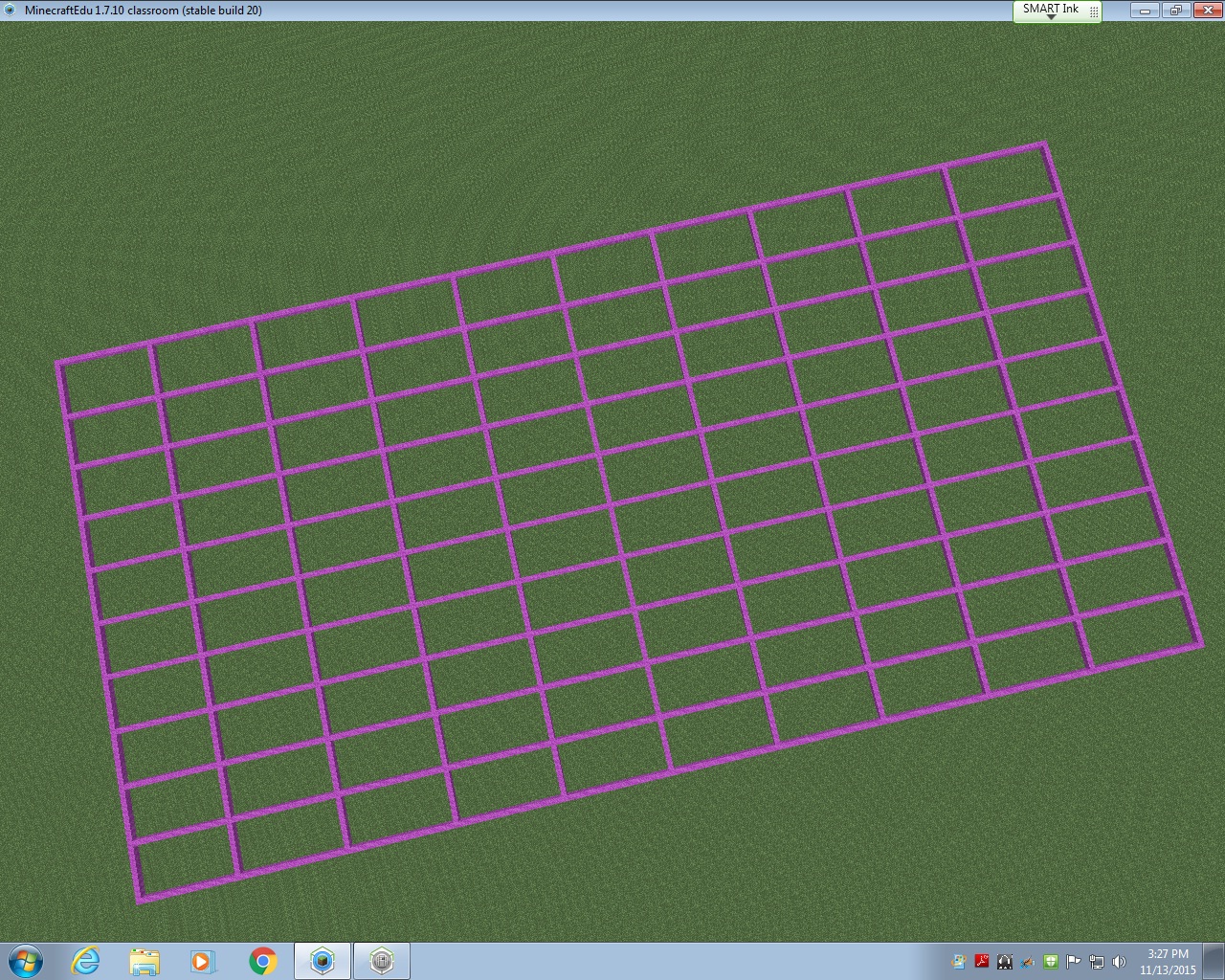
The first thing I did to prepare for this lesson was look for a map with the North Carolina border already created in MinecraftEdu.  I could not find a single one.  So, I used the Flat World (Original Style) Map from the World Library as a starting point.  Using a North Carolina map with latitude and longitude lines, I began to block off my image to transfer into MinecraftEdu.  Basically, each latitude and longitude line would be separated by 20 MinecraftEdu blocks.  This allowed me to keep the integrity of North Carolina’s shape while keeping the area of the state manageable for my students to cover in the limited amount of time they would have in MinecraftEdu.

gridlines

Once the latitude and longitude lines were in, I started outlining the state using the paper copy of the map I had blocked off.  I started on the east coast because I knew it would be difficult to do.  I would place a few blocks, then fly to see if it looked right.  Then I would place a few more blocks, and fly to see how they looked.  It was basically trial and error.  I abandoned the idea of creating the islands of the Outer Banks due to constraints in the area I had given myself.  After a few hours of work, I am pretty proud of the final product that will be uploaded into the World Library soon.

ncmap outline

From this point on, it was up to the students!  The teachers and I decided to start with the coastal region and build from east to west.  Each region was given 45 minutes to work collaboratively to create symbols of what they had learned about their region.  Students had various levels of experience in MinecraftEdu; some are in my MinecraftEdu club and some have never played before this project.  Because the coastal region was first, we ran into some quick problems with the ocean (specifically the flooding of what would be South Carolina and Virginia) and had to start completely over at one point.  Another problem we faced: I began by allowing students to remove lines of latitude and longitude if needed and upon seeing the black border of the state disappear, we started over and I told students they could not remove any pink or black blocks and they must contain the ocean in the blocks provided.  After about an hour of working (including having to restart), the seven students assigned the coastal region were finished.  They included a shark, a pirate ship, beach houses, seafood restaurants, sand for beaches, tourists tanning on the beach, and palm trees.  The ocean even had a strong current in it to represent the movement of the waves!

IMG_6635

You can see they were very particular about keeping the Piedmont region out of their coastal plain, so they went as far as to create a visible division between the two regions.  The Piedmont was next and within their 45 minutes, they created Bank of America stadium (Go Panthers!), McDonald’s, and skyscrapers.  They also created a forest of “apple” trees using oak seeds, but the oak trees overtook the skyscraper, so we had to cut down an entire forest.  This led to an spontaneous discussion about deforestation and a debate about cutting down trees vs industry, which was an excellent unexpected learning opportunity!  The seven students who studied the Piedmont also took it upon themselves to make a border so the mountain region would not build in their area.  The students were very territorial about their regions!

IMG_6636

The last region to build was the mountain region.  They discussed where the foothills would be and decided as a group (with my permission) to move the border created by the Piedmont so they could have ample room to build the mountains and have a section for the foothills.  They were adamant about having the foothills represented as that’s where our school is located.  After 45 minutes, the mountain region had created a good-sized mountain range and the Mount Airy Granite Rock Quarry.

IMG_6642

Once all students in the class had the opportunity to add something to the map, the MinecraftEdu club members put on the finishing touches.  They dubbed themselves “experts” and made everything come together nicely!  They also added a lighthouse to the North Carolina coast, the Krispy Kreme headquarters (with a donut on the top, HA), a race track to represent North Carolina’s role in the creation of professional racing, and the Biltmore House in the mountains.  The final touch was a beacon to show where our school is located in the foothills.

minecraft (1)

As I watched the students work, I was amazed at the level of knowledge they had about North Carolina’s geography, industry, and landmarks!  These students came with an idea about what they could add to the map to represent North Carolina and they worked together so well to create what I consider to be a masterpiece.  I posted several times on Twitter with updates on this project, which were shared and liked many times (thank you for that).  Each day I would remind the students that their work was being shared globally and many people were waiting to see the finished product.  The students gave everything they had to this project and far surpassed any expectations I had for this project.  Their learning is evident in ways that a standardized test could never showcase.  I am a firm believe in the power of MinecraftEdu in school and I can’t wait to work with my fifth grade teachers to create biomes in MinecraftEdu in the coming weeks!

*A link to a walk-through of the completed NC Region Map will be added soon.

Summer Maker Days

A few months ago I was awarded a mini-grant from my school system’s Educational Foundation.  This organization gives scholarships to students within our school system, provides funding for various projects, as well as funding mini-grants for teachers within the county who write a grant proposal showing need for materials.  The proposal I wrote this year was Making Connections with Makerspaces in which I asked for $750.00 in materials that would be used during four Maker Days with students and parents from my school.  I would then keep the materials for Maker Days in our media center and have the materials available for check-out by teachers in my school.  I purchased the following materials from Amazon.com.

IMG_2513 IMG_2512

Chromakey Green Screen Lighting Kit, Rory’s Story Cubes Complete Set, K’Nex Education (Elementary and Intermediate Math Sets), Lego Classic Medium Brick Box and Supplement Sets in Bright and Original, Snap Circuit and Snap Circuit, Jr, a Duct Tape Book and 16 rolls of duct tape, the littleBits Deluxe Kit, a Makey Makey, Magnetic Tile Building Set, and a Jewelry Making Kit.

I advertised the Maker Days through Facebook, the school’s website, and created a brochure to hand out at the Summer Parent Awareness session.  Yesterday was our first Summer Maker Day and I didn’t really know what to expect.  I created a challenge card for each station which listed the Basic Information about the station, materials needed and three challenges (easiest challenge listed first, followed by more difficult subsequent challenges).  At the bottom I included a suggested age range (with consideration for parent interaction), estimated amount of time needed to complete a challenge, as well as an overall difficulty level.  I created these levels based on where I knew my students were at the end of the year.

Doors opened at 2:00 and the first parent/student combo was there within 5 minutes.  It was a father and son who made a bee-line for the Lego station.  At the Lego station the challenges included reading a picture book and then using Lego to recreate the setting, their favorite part of the story, or creating an alternate ending to the story.  As you can see, the challenges increase in critical thinking, Bloom’s Taxonomy, and engineering abilities.  After spending about 15 minutes in the Lego station, the father/son duo headed to the K’Nex station and began building the Super Roller Coaster (not part of the grant, but a donation from my family friend).  By 2:30 pm, there were several families moving throughout the stations.

IMG_2553

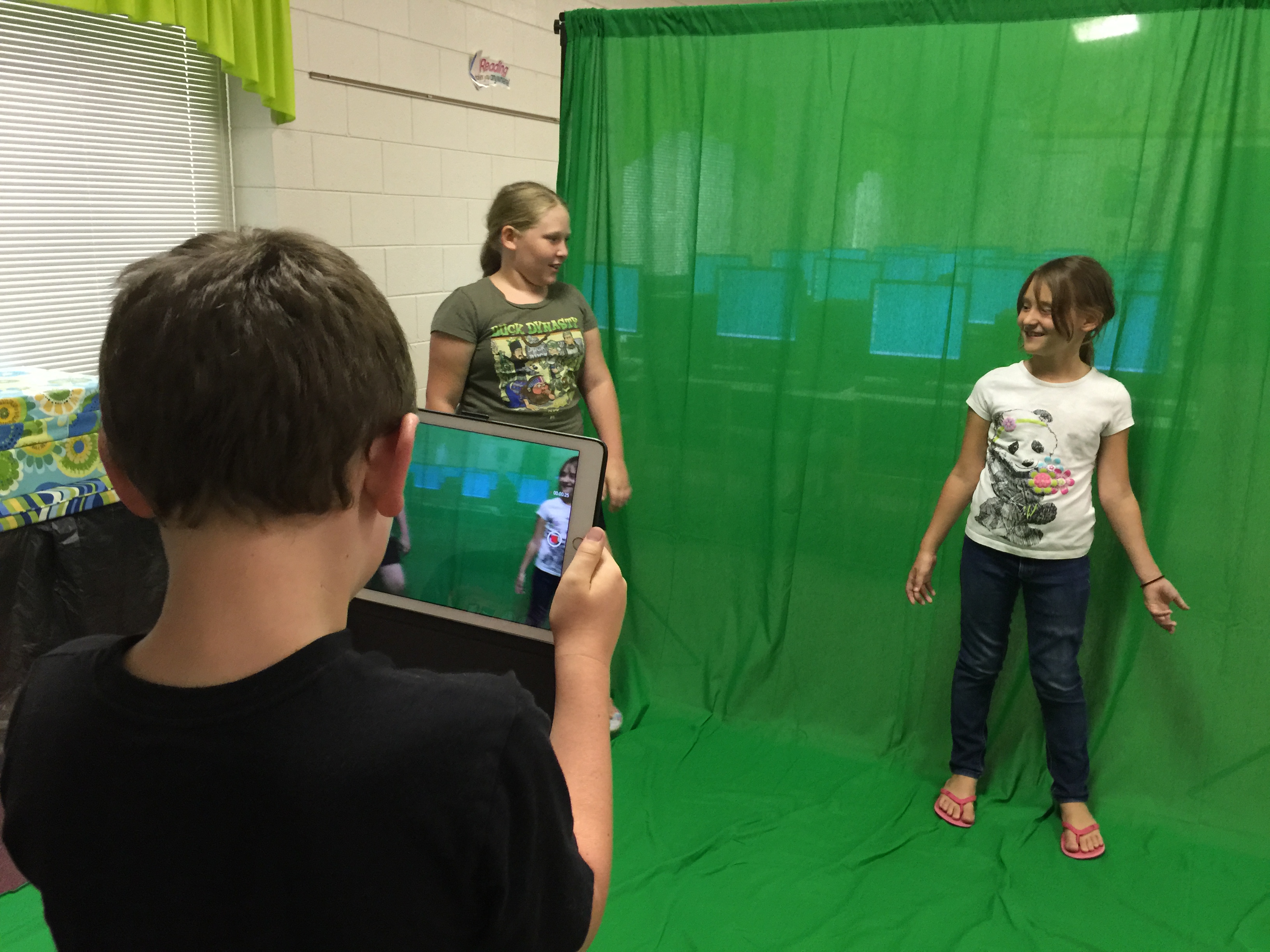
Over the course of two hours, 23 people participated in the first Summer Maker Day.  There were no major issues and things seemed to run smooth throughout the course of the afternoon.  The only thing I plan to alter for next time is the location of the Green Screen.  I am going to put it in the tutor room of the media center to cut back on noise interference in the videos and put the green screen flush against the wall as it is a pretty thin backdrop and anything behind the curtain was visible when shooting the videos.

IMG_2544

The green screen, littleBits, Makey Makey, and Snap Circuit kits were the big hits of the day I believe.  I have some true green screen pros who will be helping me teach other students in our school how to create quality green screen productions when school starts back.  Our next Maker Day is in July, and each of these families said they would definitely be returning for it.  I’m looking forward to watching these days grow in popularity as word spreads about the quality time spent between student and parent.  My principal suggested doing a Maker Day for teachers to encourage usage of materials in the classroom and curricular connections.  I think the staff at my school will love these new materials!